
If you’re debating mechanical vs membrane keyboard gaming, you’re likely looking for a clear answer on which option actually improves performance—not just marketing claims. With so many opinions across forums and streams, it’s hard to separate real competitive advantages from personal preference.
This article breaks down the core differences that matter in-game: response time, actuation force, durability, customization, and long-term comfort. Whether you’re grinding ranked matches, optimizing your esports setup, or simply upgrading your gear, you’ll find practical insights tailored to how games are actually played today.
Our analysis draws from hands-on testing across multiple genres, current esports gear trends, and technical specifications that impact real-world performance. Instead of hype, you’ll get a focused comparison designed to help you choose the keyboard that matches your playstyle, budget, and competitive goals.
The Feel of the Fight
Choosing between mechanical and membrane keyboards isn’t just specs—it’s sensation. Press a mechanical key and you feel a sharp, springy snap, hear a crisp click that cuts through your headset like a metronome. A membrane board feels softer, almost cushioned, with a muted thud under your fingertips. In mechanical vs membrane keyboard gaming debates, players argue speed versus silence. Critics say membranes are “good enough” and cheaper. True—but when milliseconds matter, that tactile bump can anchor timing (like hitting a perfect combo in Street Fighter). Pro tip: test the sound and actuation force before buying.
The Anatomy of a Mechanical Keyboard: Precision, Speed, and Feedback
At the heart of every mechanical keyboard is an individual switch beneath each key. That switch contains three core parts: the stem (the moving piece your finger presses), a spring (which provides resistance and resets the key), and a housing (the shell that holds everything together). Each press completes a circuit independently. By contrast, membrane boards use a single rubber dome sheet—one big pressure pad that registers input when the layers mash together. It works, but it’s less precise (think flip phone keypad versus DSLR shutter button).
The Big Three Switch Types for Gaming
- Linear (Cherry MX Red): Smooth travel with no tactile bump. Favored for rapid, repeated inputs in FPS titles like Valorant because nothing interrupts the keystroke.
- Tactile (Cherry MX Brown): A noticeable bump mid-press confirms actuation without extra noise. Popular for RTS and MOBAs where controlled inputs matter.
- Clicky (Cherry MX Blue): Tactile bump plus an audible click. Deeply satisfying for typing—less so if you share a room (or a Twitch mic).
Here’s the contrarian take: mechanical isn’t automatically “better.” In mechanical vs membrane keyboard gaming debates, price and preference often get ignored. Casual players may never max out the benefits.
Still, the advantages are real:
- Durability: 50–100 million keystrokes (Cherry, 2023).
- N-key rollover (NKRO): Registers multiple simultaneous inputs without ghosting.
- Sharper feedback: Faster recognition of actuation can improve reaction timing.
Pro tip: Lighter switches reduce finger fatigue during long grind sessions. Your hands will thank you.
Dissecting the Membrane Keyboard: The Quiet and Affordable Alternative
Have you ever wondered why some keyboards feel soft and nearly silent, while others click like a newsroom from the ‘80s?
A membrane keyboard uses a pressure-pad system—a layered design where a rubber dome sits beneath each key. When you press down, that dome collapses onto a circuit layer below, closing the circuit and registering the input. In simple terms, you’re squishing rubber to make contact (yes, that’s the magic).
The Feel and Performance
That rubber dome creates the classic “mushy” sensation. Unlike mechanical switches that actuate mid-press, membrane keys require a full bottom-out—pressing the key all the way down—to register. This can slow rapid double-taps in competitive play. Ever missed an ability in a clutch moment and blamed your reflexes? It might not just be you.
Why Gamers Still Choose Them
- Cost-Effective: Budget-friendly and widely available.
- Quiet Operation: Rubber dampens sound, perfect for late-night sessions or streaming setups.
In debates over mechanical vs membrane keyboard gaming, critics argue membranes lack precision. They’re not wrong—durability averages 5–10 million keystrokes, and cheaper models may suffer ghosting (unregistered simultaneous inputs).
Still, NOT EVERYONE needs tournament-grade feedback. Casual players, students, and office gamers often prioritize silence and savings.
Pro tip: Pair your setup with smart tweaks from reducing input lag practical setup adjustments to maximize responsiveness—even on a membrane board.
Performance Metrics: A Head-to-Head Battle for Supremacy
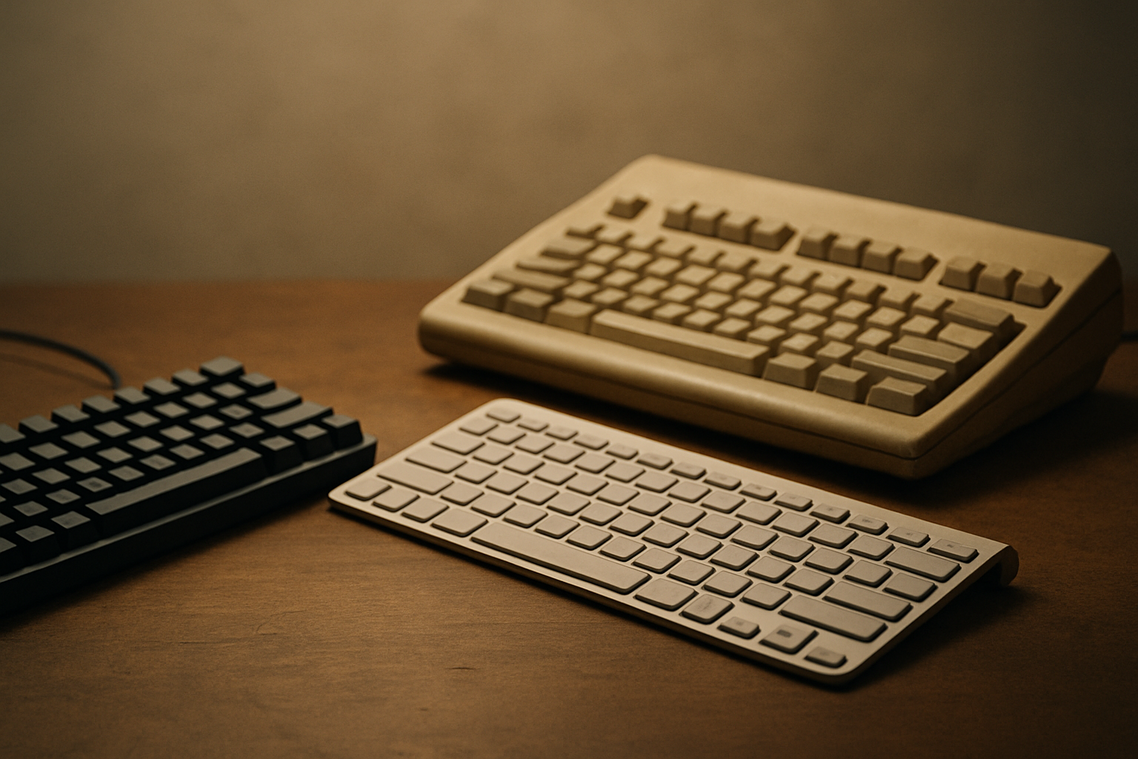
When it comes to mechanical vs membrane keyboard gaming, the debate isn’t just Reddit noise—it’s about milliseconds, money, and muscle memory.
Actuation Speed & Responsiveness: Mechanical keyboards win. Actuation point (the distance a key travels before registering) is typically shorter and more precise on mechanical switches. In competitive shooters like Valorant or CS2, where reaction time can dip below 200 milliseconds at high ranks, that tiny edge matters. Some argue that human reaction speed dwarfs hardware differences. Fair—but consistent, lighter keystrokes reduce finger fatigue during scrims (ask anyone grinding ranked in Seoul PC bangs).
Durability & Lifespan: Mechanical boards dominate. Switches rated for 50–100 million keystrokes outlast membrane domes by 5–10x. In esports facilities where keyboards endure daily team practice, that longevity isn’t theoretical—it’s budget reality. Critics say most gamers upgrade before switches fail. True, but durability also means stable performance over time (no “mushy WASD” mid-season).
Acoustics & Noise Level: Membrane wins. Their rubber dome design dampens sound naturally. For shared apartments or late-night Discord sessions, quieter keys keep peace. Mechanical fans counter with O-rings and silent switches, but out of the box, membranes are softer.
Customization & Aesthetics: Mechanical takes it. Swappable keycaps, hot-swappable switches, RGB profiles tuned per game—this is enthusiast territory. It’s the sneaker culture of gaming gear (limited drops included).
Price & Value: Membrane costs less upfront.
- Budget-friendly for casual setups
- Easy replacement
Still, long-term value often tilts mechanical for serious competitors. Pro tip: If you’re logging 20+ hours weekly, durability pays off.
Matching the Keyboard to Your Game: Genre-Specific Recommendations
Choosing the right board isn’t hype—it’s PERFORMANCE.
- FPS & Battle Royale (Valorant, Apex Legends): Mechanical (Linear switches) deliver smooth, rapid actuation for quicker strafes and clutch ability pops. When milliseconds matter, friction is the enemy.
- MMO & Strategy (World of Warcraft, League of Legends): Mechanical (Tactile or Clicky switches) give physical feedback, confirming skill activations and reducing costly mis-clicks.
- Casual & Hybrid Gamers: A quality membrane keyboard balances comfort and price.
The mechanical vs membrane keyboard gaming debate isn’t about “better”—it’s about FIT. Next question: do you prioritize speed, feedback, or budget?
Making the Final Decision: Which Keyboard Will Elevate Your Gameplay?
You’ve seen how mechanical and membrane keyboards stack up in real matches. Now it’s decision time.
The real question behind mechanical vs membrane keyboard gaming is simple: do you want peak performance, or balanced practicality?
If you grind ranked daily, prioritize:
- Fast actuation for quicker inputs
- Durable switches rated for millions of presses
- Customizable keycaps or macros
On a budget or sharing space? Choose:
- Quieter keys (your roommates will thank you)
- Lower upfront cost
- Lightweight design for portability
Pro tip: test your main game for a week with your current setup before upgrading. Choose what feels like an extension of you.
For gamers looking to enhance their experience, choosing between mechanical and membrane keyboards can make a significant difference, especially when paired with exciting online competitions like the Undergrowthgameline Online Gaming Event.
Level Up Your Keyboard Choice
You came here to finally settle the debate around mechanical vs membrane keyboard gaming, and now you have a clear understanding of how each option impacts speed, responsiveness, durability, and overall performance. Instead of guessing or relying on hype, you can make a decision based on how you actually play.
The truth is, the wrong keyboard can hold you back. Missed inputs, slow actuation, and poor feedback can cost you matches, rankings, and confidence. Whether you’re grinding ranked, competing in esports, or just trying to optimize your setup, your gear should work with you—not against you.
Now it’s time to act. Evaluate your playstyle, budget, and performance goals, then choose the keyboard that eliminates input lag and maximizes precision. If you want deeper gear breakdowns, performance comparisons, and strategy-driven recommendations trusted by competitive gamers, explore our latest guides and upgrade your setup today.