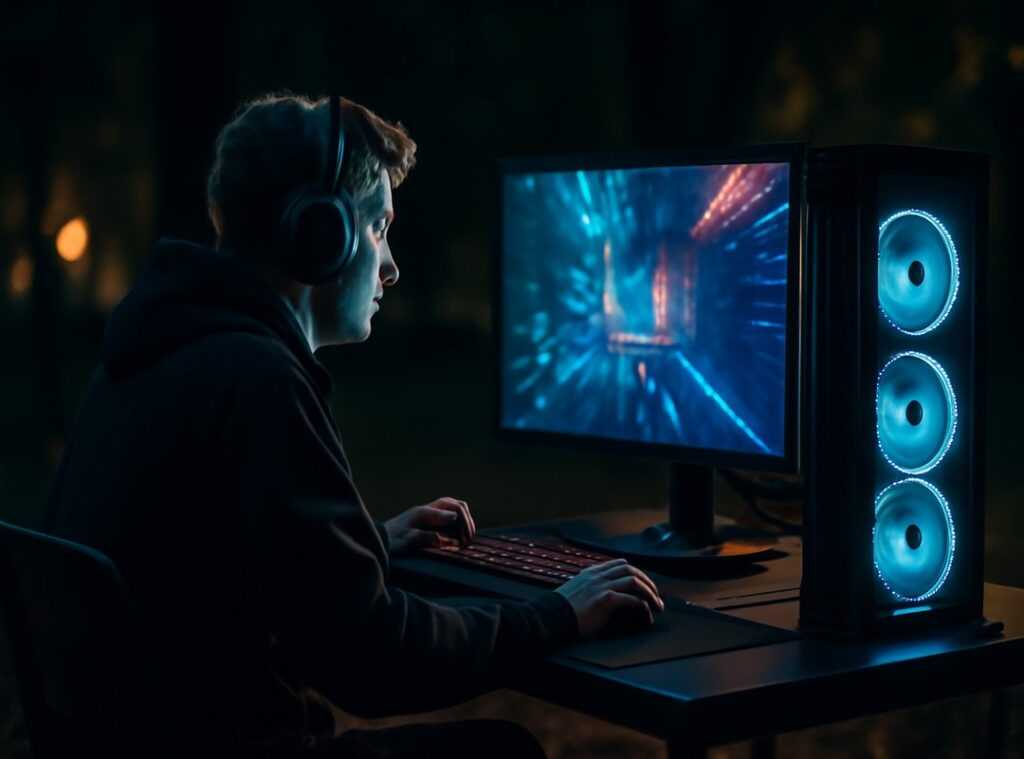
Tangled wires. A sore back after hours of gaming. Frustrating, right?
I know the struggle all too well. A disorganized gaming space can ruin the whole experience. If you’re nodding along, you’re in the right place.
This guide is your ticket to transforming chaos into the ultimate gaming command center. I’m not just tossing out pricey gear suggestions. This is built from years of tweaking setups for performance, comfort, and aesthetics.
You deserve a space that isn’t just functional but truly enhances your gaming experience.
Ever thought a gaming desk setup could boost your gameplay? It can.
So, what can you expect? A complete, step-by-step walkthrough to create a personalized and fast setup. Cut the clutter and level up your comfort. to creating a space that looks and feels amazing.
Ergonomics: The Key to Gaming Bliss
Comfort isn’t just about feeling cozy. It’s a performance enhancer. Seriously, a poor gaming desk setup will tank your session faster than you can say “game over.” Why?
Because fatigue and discomfort creep in, and they’ll cut your gaming time short. We’ve all been there. Aching back, sore wrists (but) it doesn’t have to be that way.
Let’s talk about the ’90-90-90′ rule. It’s simple: keep your feet flat on the floor, knees at a 90-degree angle, and elbows bent at 90 degrees. This posture helps you maintain your energy, so you’re not slumping over like a zombie after a few hours.
Now, monitor placement. It’s key to have the top of your screen at or slightly below eye level. Why?
To save your neck from feeling like it’s held up by a rubber band. Keep your monitor an arm’s length away. Do you really want to squint and strain?
Keyboard and mouse positioning matter too. Keep your wrists straight. Use a wrist rest if you need to (it) saves you from those painful spasms later on.
Believe me, your future self will thank you.
An adjustable chair and a desk at the proper height are your ergonomic bread and butter. They form the core of a comfortable setup. Good posture lets you focus on what matters: leveling up, not wincing in pain.
And hey, while you’re upgrading your setup, you might want to check out top headset picks immersive sound. Because why stop at comfort when you can dive into immersive sound too?
Finding the Perfect Spot: PC and Peripheral Placement
Wondering where to put your PC? On the desk or the floor? Both have upsides.
A PC on the desk is more accessible (easy reach for ports) and avoids the dust found on the floor. But let’s be honest, it can also take up valuable desk space. On the floor, you gain space above but have to deal with potential dust and less airflow.
Ever tried vacuuming around cables? Not fun. Keep airflow in mind wherever you place it.
Now, about that monitor setup. Dual monitors are a dream. Your main game in the center, and your maps or Discord on the side.
It just makes sense. Switching between screens feels like a breeze. Don’t you hate it when things just aren’t aligned?
It’s all about arranging them just right.
Speakers are a different beast. To get that perfect stereo sound, position them in an equilateral triangle with your head. It’s science or magic (maybe) both.
For headphones, a stand is a lifesaver, keeping your desk clear. Cluttered desks? Worst enemy.
And mousepads (let’s) talk real estate. A bigger mousepad is better, especially for low-DPI gaming. Let your mouse and keyboard live on the same level.
It feels more smooth, like a well-coordinated symphony. Check out more gaming desk setup ideas for inspiration.
There you have it. A few tweaks, and your gaming space will feel pro-level. Who knew placement could be so strategic?
Taming the Serpent: A Realistic Guide to Cable Management
Cable management: we all dread it. Trust me, I’ve been there, staring at the tangled mess beneath my gaming desk setup. But here’s the thing.

It’s like solving a satisfying puzzle. You get the chaos under control, and boom, your space feels brand new.
First step? Unplug everything. Yeah, I know.
Unplugging seems drastic, but starting fresh is key. Then, route those cables along desk edges and legs. Visualize a path that keeps them out of sight.
Finally, bundle them up. Velcro ties are a lifesaver (and reusable, by the way). Cable raceways or channels?
Here’s a pro tip: Mount a power strip underneath your desk or hide it in a cable management box. It’ll keep the “brick” clutter out of view and make plugging things in way easier. Who doesn’t want that?
Stick them under the desk. This makes it look neat without having to drill holes or anything. Plus, cable sleeves are great for turning a rat’s nest into just one clean line of wires.
Good cable management isn’t just about looks. It’s about function. Your PC needs airflow.
Cables shoved everywhere? They can block that. Plus, a tidier space makes cleaning a breeze.
While we’re on the topic of optimal setups, don’t forget about choosing right gaming mouse. It’s all part of crafting the perfect gaming environment.
If you think about it, managing cables is like leveling up your gaming space. It’s not flashy, but it pays off. You’ll thank yourself every time you look under your desk and see harmony instead of chaos.
It’s one of those small things that makes a big difference.
The Final Touches: Infusing Your Personality
When you’re setting up your gaming desk, the last step is where it really gets fun. It’s not just about slapping down a desk and getting to work. No, it’s about creating a space that screams you.
A personal sanctuary.
Ambient lighting is a game-changer. Ever tried RGB light strips behind your monitor? They’re not just flashy (well, they are flashy) but they help you game comfortably at night.
It’s a neat trick to reduce eye strain in dark rooms and amp up immersion.
But don’t just stop at lighting. Shelves can be great for showing off collectibles. Got a bunch of Funko Pops?
Perfect. Favorite game art? Hang it up.
Here’s a pro tip: stick to a loose color scheme. Choose 2-3 main colors for your lighting, desktop wallpaper, and decor. It keeps things looking cohesive and less like a chaotic streamer setup.
Throw in posters and plants to add life to the space. Even a custom mousepad can reflect your style.
Start small. Don’t rush to mimic what you see on streams. Add elements over time that you genuinely enjoy.
It’s about your vibe, not theirs.
Creating your ideal gaming desk setup is a journey. It might not be perfect overnight, but that’s okay. Step by step, you’ll carve out a space that’s uniquely yours.
Level Up Your Gaming Space
Sick of your cluttered, cramped desk? It’s not just an eyesore. A messy setup drags down your gaming mojo.
Let’s flip the script. Focus on ergonomics and strategic placement. Imagine having everything in perfect reach.
Picture sleek cables, tidy and tamed. Personalize it. Make it your command center.
Your gaming desk setup dictates your game. Start small. Adjust your monitor.
Bundle those rogue cables. Feel the difference in your gameplay. It’s time to act.
Dive into our guide and pick one task. Tackle it today. You deserve a space that fuels victory.
Ready to game better? Let’s go.